
New AI tools let developers pin the exact poses that shape an animation and turn static 3D models into production-ready rigged, moving characters they can plug into their games.
Ludo.ai, the developer’s companion for creating production-ready games assets, today announced the launch of Keyframe Animation, a new mode that gives developers precise control over AI-generated sprite animations.
The feature expands the animation options already available in Ludo’s Sprite Generator, alongside its existing Animate, Transfer Motion, and Edit Spritesheet tools, and is available now in the Ludo app and through the Ludo API and MCP server. Ludo has also recently released one-click 3D rigging and 3D model animation, expanding what developers can do with static 3D models in their libraries.
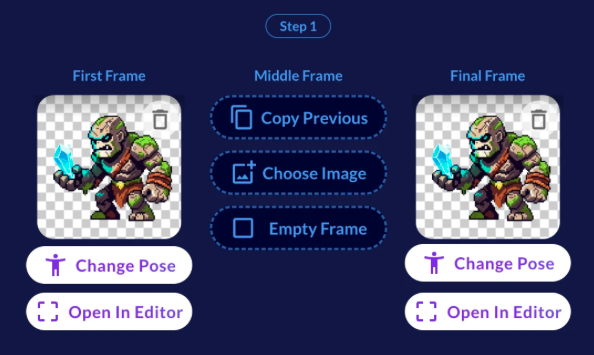
The newest approach borrows a workflow that traditional animators have used for decades. An artist draws the key poses, and an in-betweener fills in everything that happens in the frames between them. With Keyframe Animation, Ludo takes on the in-betweener role. A developer sets up to three keyframes, and Ludo generates a complete animated spritesheet that moves through those poses in sequence.
Jorge Carvalho Gomes, Co-Founder and Chief Technology Officer at Ludo.ai. said:
“Everyone can generate a sprite animation with AI now. That part is basically solved. The hard part is getting the animation you actually had in your head. With Keyframe Animation, you’re not describing motion and hoping for the best. You set the exact poses the animation moves through and Ludo fills in the rest.”
How Keyframe Animation Works
Three-point control gives developers a way to pin the exact moments that define an animation. For an attack sequence, this means setting the wind-up, the point of impact, and the follow through as poses that the developer defines themselves, so the animation lands exactly where the developer intends.
Developers don’t need finished artwork for every keyframe. Ludo’s built-in pose generation tools can create the starting, middle, and final poses for an animation subject from scratch, feeding them directly into the keyframe slots.
Each of the three keyframes is optional and developers can supply their own image or let Ludo generate the pose itself. That way, they only need to supply the one moment that matters most.
A text prompt is no longer required once keyframes are set, since the poses themselves now drive the motion, though a prompt can still be added for further steering.
Keyframes can also bridge existing artwork that has nothing to do with character animation. Two images, such as a chest shown closed and then open, can be set as keyframes to generate all the in-between frames automatically.
Output Details
The finished animation can run up to 64 frames, with options to adjust the duration, size, and resolution to fit a project’s needs. Animations loop seamlessly by default, and when both the first and final keyframe are set, Ludo automatically trims duplicate frames for a clean loop. The feature supports character sprites, visual effects, and UI assets, and is powered by Ludo’s Forge animation model.
One-Click Rigging for 3D Models
Ludo has also recently introduced one-click rigging for 3D models, giving any model in a developer’s library an engine-ready skeleton in a single step, with no external software or manual work required. Developers can choose the rig style that best fits their character before having it labeled to match their engine or editing tool of choice, so it drops straight into an existing project without extra setup.
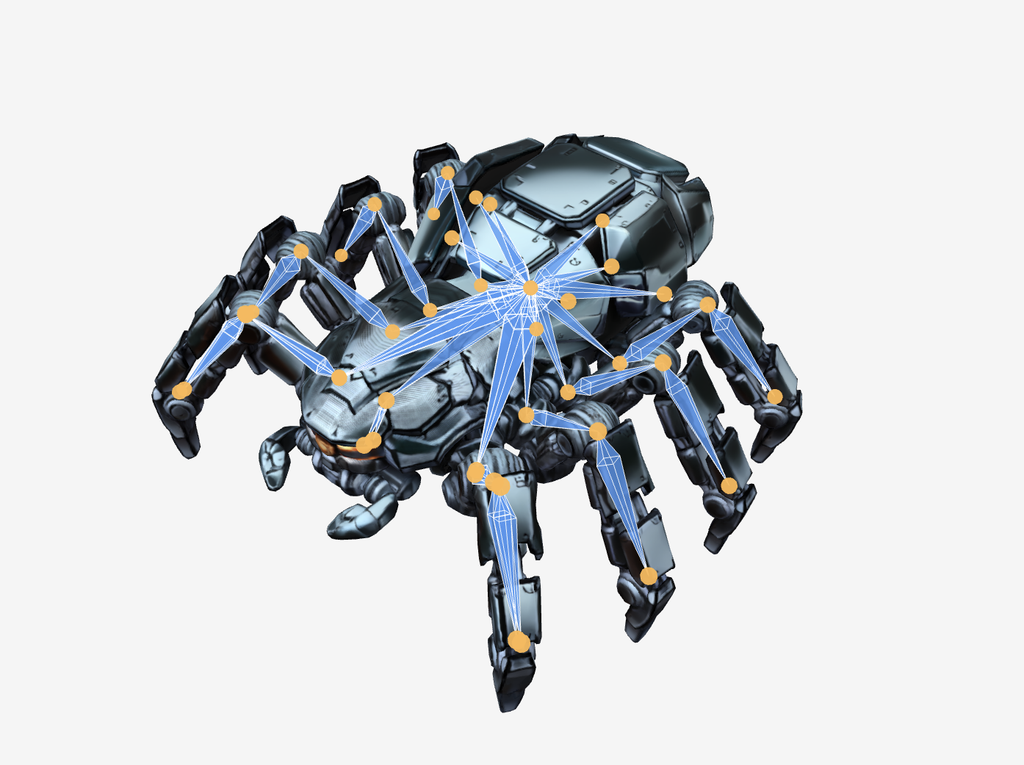
3D Model Animation
Once a model is rigged, Ludo can bring it to life. Developers can choose from a growing library of ready-made animations, from walks to combat moves, or describe a custom motion in plain text for something the library doesn’t yet cover. Custom, text-described animations return four variants to choose from, previewed live on the model, since results can vary from run to run. The finished result, whether from the library or a custom description, exports as a single animated file ready to drop straight into a game.
Developers can start using Keyframe Animation, along with Ludo’s rigging and 3D animation tools, today in the Ludo app, or bring it into their own AI-assisted workflows through the Ludo API and MCP server at Ludo.ai.